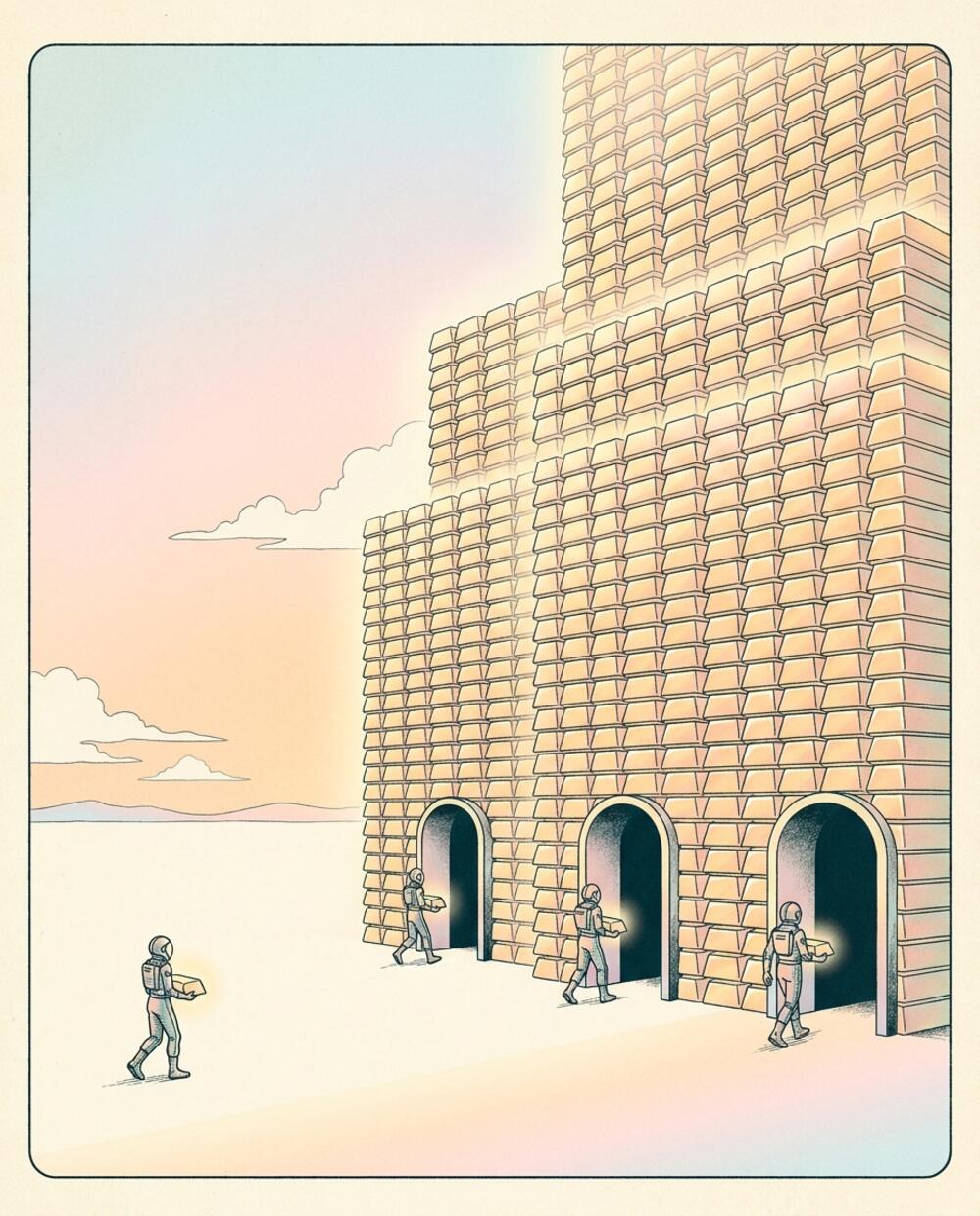

three installs, three TOOLS
Every tool ecosystem hands you an install ritual, and the rituals
disagree with each other. The Homebrew formula is three versions behind
because a volunteer maintains it on weekends. The npm package wraps a
native binary in a download step that fails silently — you find
out at runtime, weeks later, when the command finally errors. The
curl | sh one-liner works but feels like trusting a stranger
with sudo. And six months on you have three copies of the
same tool fighting over your PATH, and no honest answer to
the only question that matters: which one does which wbx
actually find?
The deeper problem is that each lane is usually its own build — its own pipeline, its own packaging, its own version cadence. Three pipelines is three things that can drift apart, and they do. The version brew ships, the version npm ships, and the version you'd get from source are three different numbers, and reconciling them is somebody's afternoon.
This lesson opens the hood on how wbx ships instead. The parent lesson gave you the install one-liners; this one is why there's only one set of bytes behind all of them.
the DEFINITION
1. one GitHub Release tagged
wbx-v* that every install lane — curl, npm,
self-upgrade, and the runtime image — is a courier for.
Same bytes, different doors.
The word usually names a sprawl: registries, mirrors, package formats, channels. Here it names a single artifact. A tag triggers one CI workflow; that workflow builds the binaries once and attaches them to a Release; and every door into the tool reads from that Release. There is no second build, no parallel packaging job, nothing that can drift — because there is only one thing to keep honest, and CI keeps it.
anatomy of a RELEASE
A push of a tag like wbx-v0.13.0 is the whole trigger. The
workflow strips the prefix to get the version, fans out across a
five-target build matrix, runs one more job for the wasm module, and
attaches all six files to a Release named for the tag:
flowchart TD
  tag["git tag wbx-v0.13.0"]
  tag --> ci["cli-release.yml
v = 0.13.0"]
  ci --> matrix["native matrix — 5 targets"]
  ci --> wasmjob["wasm job — wasm32-wasip1"]
  matrix --> rel[["Release wbx-v0.13.0
5 binaries + wbx.wasm"]]
  wasmjob --> rel
  rel --> curl["curl lane"]
  rel --> npm["npm lane"]
  rel --> upgrade["wbx upgrade"]
  style tag fill:#d9dbd3,stroke:#121316
  style rel fill:#13d943,stroke:#121316,stroke-width:2.5px
  style curl fill:#ffffff,stroke:#121316
  style npm fill:#ffffff,stroke:#121316
  style upgrade fill:#ffffff,stroke:#121316
That graph is the entire mental model. One tag in; one Release out; the
three install lanes fan from that single node. The matrix builds five
binaries — Apple Silicon and Intel macOS, x64 and arm64 Linux, and an MSVC
Windows .exe. The Intel mac binary is the one worth noting:
it's cross-compiled on the Apple Silicon runner, because the Intel
macOS runners are being retired and can queue indefinitely. The wasm job
builds separately and drops a sixth asset, wbx.wasm.
Here is an actual release, laid bare, with each asset's door marked:
wbx-v0.13.0 — "wbx v0.13.0"
├── wbx-darwin-arm64        ← curl (Apple Silicon) · npm postinstall
├── wbx-darwin-x64          ← cross-compiled ON the arm64 runner
├── wbx-linux-x64
├── wbx-linux-arm64
├── wbx-windows-x64.exe     ← npm lane only (curl says: Windows via WSL)
└── wbx.wasm                ← wasm32-wasip1, for in-sandbox agents
Publishing the Release is deliberately idempotent. The job runs
gh release create … || gh release upload … --clobber — create
it if it's new, otherwise overwrite the assets in place. Re-running a
release never errors and never half-publishes; you can rerun the workflow
and get the same end state.
the curl LANE
curl -fsSL https://workbooks.sh/cli.sh | sh is the first
door, and it is a plain POSIX script — about sixty lines, served as a
static file. (The spec still mentions a Cloudflare worker; that's stale —
there's no worker logic, just a file you can read.) It does four things in
order, and each is auditable.
First it discovers the latest tag: it asks the GitHub API for the
repo's releases and greps the first tag_name that starts with
wbx-v. Second it maps your machine to an asset name —
uname gives the OS and arch, which become
darwin or linux and arm64 or
x64, matching the asset names exactly. Third it downloads to a
temp file, makes it executable, and moves it into place. Fourth it runs
wbx --version as a smoke check, so a broken download fails
right there instead of next Tuesday.
The install directory has a fallback built in: it uses
/usr/local/bin if that's writable, otherwise
~/.local/bin — and if the chosen directory isn't on your
PATH, it warns you. Three environment knobs steer the whole
script:
| env var | what it does | default |
|---|---|---|
WBX_VERSION | pin a specific release instead of latest | latest wbx-v* tag |
WBX_INSTALL_DIR | where the binary lands | /usr/local/bin, else ~/.local/bin |
WBX_REPO | which repo's releases to read | workbooks-sh/workbooks.sh |
One honest limit lives in the OS map: it's macOS and Linux only. An unrecognized OS exits with unsupported OS — macOS and Linux today; Windows via WSL. Windows users take the npm lane, or run the script inside WSL.
the npm LANE
The npm package is a thin launcher, not a copy of the binary. It ships
exactly three files — bin/wbx.js, install.js, and
a README — and a postinstall hook that downloads the right
native binary the moment you npm install it. The clever part
is how it finds the binary with no metadata service at all:
The CI workflow stamps the package's version straight from the tag. So
the package that calls itself 0.13.0 can compute its own
download URL —
github.com/…/releases/download/wbx-v0.13.0/wbx-darwin-arm64 —
from nothing but its own package.json version and your
platform. The npm version and the release tag are lockstep by
construction. There's no version endpoint, no manifest, no API call to
resolve "latest" — the package already knows which Release it belongs to,
because the tag is what minted it.
sequenceDiagram
  participant U as npm install
  participant I as install.js (postinstall)
  participant G as GitHub Release
  participant C as storage CDN
  participant L as bin/wbx.js
  U->>I: run postinstall
  I->>I: asset = platform + arch
  I->>G: GET …/wbx-v0.13.0/wbx-darwin-arm64
  G-->>I: 302 redirect
  I->>C: follow redirect (up to 10)
  C-->>I: binary bytes
  I->>I: write + chmod 0755
  I->>L: shadow check on PATH
Read that exchange as a story. The install runs the postinstall; the postinstall computes the asset name from your platform and architecture; it requests that asset from the Release. GitHub answers not with bytes but with a 302 redirect to its storage backend — so the installer follows redirects by hand, up to ten hops, with a recognizable user agent. The bytes arrive, it writes them and sets the executable bit, and then it runs one last safety check we'll come back to: the shadow check.
The launcher itself, bin/wbx.js, is thirty-seven lines. It
checks that the binary exists, then separately that it's executable — two
distinct failure messages, because the postinstall download likely
failed and the binary exists but is not executable are
different problems with different fixes. If all is well it
spawns the native binary, inherits your terminal, and
forwards the child's exit code back out. The Node process is a pass-through;
the real wbx is the binary it launches.
the shadow CHECK
Depth rung. Here's the scenario the npm lane is built to survive: you
curl-installed wbx months ago into
/usr/local/bin, and today you run
npm i -g @work.books/cli. Now there are two binaries on your
PATH, and the one that wins is whichever directory comes
first. The npm one you just installed might be invisible.
So findShadow walks every directory on your
PATH, in order, looking for a file named wbx. If
the first one it finds resolves to a different file than the one
it just installed, that earlier path is shadowing the new install — and it
says so, by name:
[wb] downloading wbx-darwin-arm64 (v0.13.0)…
[wb] installed.

╔══════════════════════════════════════════════════════════════╗
║  wb PATH SHADOW WARNING                                      ║
╚══════════════════════════════════════════════════════════════╝
  Another wb binary was found earlier on your PATH:
    /usr/local/bin/wbx
  It will shadow the npm-installed wb. To fix, either:
    • Remove or rename the old binary:  rm /usr/local/bin/wbx
    • Or adjust PATH so npm's bin dir comes first.
The predicate is the whole insight: the first wbx on
PATH that isn't the one we just wrote is, by definition,
the one that shadows it — because shells resolve left to right and stop at
the first hit. Walking in PATH order and comparing resolved
paths is exactly what the shell will do at call time.
| PATH dir (in order) | has wbx? | verdict |
|---|---|---|
| /usr/local/bin | yes — the old curl one | shadows the new install |
| ~/.npm-global/bin | yes — just installed | too late, never reached |
| (if the first hit IS ours) | ours | no shadow — returns null |
When the first hit is the freshly-installed binary,
findShadow returns null and prints nothing. No shadow, no
noise.
failing LOUD, exiting zero
Depth rung. The npm lane has a design stance about failure that's worth
naming, because it's the opposite of how most postinstalls behave. A
postinstall download must never brick npm install — if
it exits non-zero, it takes the whole dependency install down with it,
which is a terrible thing to do to someone who just wanted a CLI. But it
also must never fail silently — the silent postinstall is exactly
the failure mode that makes people distrust npm-wrapped binaries.
The resolution: on any download error, print a loud boxed banner, then
process.exit(0). The banner is the signal; the zero keeps the
install alive. And the banner is careful to tell you which of two
situations you're in:
╔══════════════════════════════════════════════════════════════╗
║  wb install FAILED                                           ║
╚══════════════════════════════════════════════════════════════╝
  The wb binary was NOT downloaded. Running `wb` will fail.
  (Or: a previous binary is still present and may work.)

  To recover, either:
    • curl -fsSL https://workbooks.sh/cli.sh | sh
    • npm rebuild @work.books/cli
A previous binary is still present and may work is a very
different message than the wb binary was NOT downloaded; running wb
will fail — and the installer knows which to say. It hands you both
recovery commands right there: the curl lane as an escape hatch, and
npm rebuild to retry the postinstall.
And the launcher is the backstop for anything that slips past the
installer. If you run wbx and the binary is missing or not
executable, bin/wbx.js prints its own fatal banner — with the
same two fix options — and exits 1. Loud at install time, loud at run
time, never silent at either.
the binary replaces ITSELF
The third lane is wbx upgrade — the tool swapping itself
for a newer copy. It locates its own executable on disk, then does the
most important thing first: it checks whether it lives inside a
node_modules directory. If any component of its path is
node_modules, it stops and tells you to use npm instead:
$ wbx upgrade                       # curl-installed at /usr/local/bin/wbx
upgraded: wbx 0.12.0 → 0.13.0       # wrote wbx.new, chmod 755, atomic rename

$ wbx upgrade                       # npm-installed (path has node_modules)
installed via npm — upgrade with: npm update -g @work.books/cli
That refusal is a feature, not a gap. File ownership inside
node_modules belongs to the package manager; a binary that
rewrites itself there would be fighting npm over which copy is real. So it
declines, and points you at the command that respects the package
manager's bookkeeping.
For a curl-installed binary, it discovers the latest release the same
way cli.sh does — reads the GitHub API, takes the first
wbx-v tag — and compares it to its own compiled-in version. If
they match, it says already current and stops. Otherwise it picks
the asset for its platform (decided at compile time) and performs an atomic
swap:
sequenceDiagram
  participant X as wbx (running)
  participant A as api.github.com/releases
  participant R as the Release
  participant F as filesystem
  X->>A: GET releases — first wbx-v* tag
  A-->>X: wbx-v0.13.0
  X->>X: compare to CARGO_PKG_VERSION
  X->>R: download asset for this platform
  R-->>X: bytes
  X->>F: write /usr/local/bin/wbx.new
  X->>F: chmod 0755
  X->>F: rename wbx.new → wbx (atomic)
Follow the swap as a story. The running wbx asks the API for the latest
tag, gets wbx-v0.13.0, and compares it to the version baked
into itself at compile time. They differ, so it downloads the new bytes
and writes them to a sibling file — wbx.new, right next to
itself. It marks that new file executable. Then the one move that makes
this safe: it renames wbx.new over wbx.
Rename is atomic on the same filesystem, so there is never a moment where
PATH holds a half-written binary. The running process keeps
executing the old inode it already loaded; the next invocation is
the new version; and a crash mid-download leaves the old binary untouched.
The curl lane's counterpart to all this is pinning — to install an
exact version instead of upgrading, you set the version knob:
WBX_VERSION=0.12.0 sh -c "$(curl -fsSL https://workbooks.sh/cli.sh)".
the fourth ASSET
Depth rung. The sixth file in every release is wbx.wasm,
built for the wasm32-wasip1 target. It ships in the same
Release as the native binaries because wbx is one crate compiled to two
kinds of target — the reason a wasm asset exists at all is the
one-crate-two-targets story. This is the lane for
the sandboxed future: a wasm module wbx that can run inside the
engine's sandbox alongside the workbooks it operates on.
Two honest notes belong here. First, the wasm build of
upgrade (and open) deliberately bails with
wbx upgrade needs the native binary — a module running inside a
sandbox cannot rewrite its own file, and pretending otherwise would be a
lie. Second, the consumption side: the artifact ships, and it's the
spec'd path for in-sandbox agents, but the runtime-side wiring that
fetches that published wasm isn't visible in the code yet. It's
the lane that exists for where this is going, stated plainly as that.
Meanwhile, the runtime image doesn't download wbx
from a release at all. Its Dockerfile compiles wbx from source in a
build stage and copies the stripped binary to
/usr/local/bin/wbx. So the agents working inside the engine
get a native wbx pinned to the image's exact commit — not a downloaded
one, not a wasm one. Same source, a different door again: built in place,
at a known SHA.
what this doesn't SOLVE
Honesty section. The one-artifact design buys a lot, but it has real edges, and naming them is the point.
The npm lane's postinstall dies under npm install
--ignore-scripts — no postinstall runs, no binary downloads. The
spec actually describes a different shape (esbuild-style per-platform
optionalDependencies) that would survive
--ignore-scripts, because the platform binary arrives as a
real dependency rather than a download step. The shipped implementation
chose the single-package postinstall instead: one package to publish and
maintain, against five-plus registry packages. That's a deliberate trade,
not an oversight — and if you run --ignore-scripts, the curl
lane is your way in.
The other edges, briefly. There's no Homebrew, apt, or winget — the
lanes are curl, npm, and self-upgrade. The curl lane skips Windows
entirely (npm or WSL). The atomic rename in upgrade is only
atomic on the same filesystem, and needs write permission to the install
directory. And the "static binary, no runtime deps" claim is precise about
what it means: wbx is built with rustls instead of OpenSSL, so there's no
interpreter and no VM to install — but the Linux builds target
-gnu, not musl, so "no runtime deps" means no
interpreter, not zero dynamic libraries.
| lane | what breaks it | escape hatch |
|---|---|---|
| curl | Windows; no PATH-writable dir | npm lane, or WSL |
| npm | --ignore-scripts | curl lane, or npm rebuild |
| upgrade | cross-filesystem; no write perm | reinstall via curl |
| wasm | consumption wiring still landing | native binary today |
questions people actually ASK
Is curl | sh safe here?
It's about sixty lines of POSIX shell, served as a static file you can
read before you run it — open workbooks.sh/cli.sh in a tab
first. It discovers a tag, downloads a release asset over HTTPS, moves it
into place, and runs --version. No worker logic, no hidden
steps. Auditable beats trusted.
How do I pin a specific version?
On the curl lane, set WBX_VERSION=0.12.0 before running
the script. On npm, ask for the version directly:
npm i @work.books/[email protected] — and because the package
version and the release tag are lockstep, that pins the binary too.
I installed both curl and npm — which one wins?
Whichever directory comes first on your PATH. That's also
exactly what the shadow banner told you at npm install time — it named
the earlier binary and gave you both fixes:
rm the old one, or reorder PATH so npm's bin
directory leads.
Why is the npm package @work.books/cli, not wbx?
The bare name wbx was already taken on the registry, so
the package is scoped. The parent lesson covers the
naming; here it's just a label on the same bytes.
How do agents inside the engine get wbx?
They don't download it. The runtime image compiles
wbx from source during its build and bakes the binary into
/usr/local/bin/wbx, pinned to the image's commit. Same
source as every other lane, built in place.
Why publish to two npm registries?
The release publishes to npmjs as @work.books/cli and
mirrors to GitHub Packages as @workbooks-sh/cli — the same
launcher, two homes. The publisher sets a skip-download flag on itself so
it doesn't fetch a binary onto the build runner while stamping the
package.
keep GOING
Distribution is one chapter under the command line — the parent has the rest, and the neighbors explain why the lanes are shaped this way.